
Why Alerts Don’t Equal Operations
By Sam Kennedy
Part 4 of our series Why "It's Online" Isn't Good Enough.
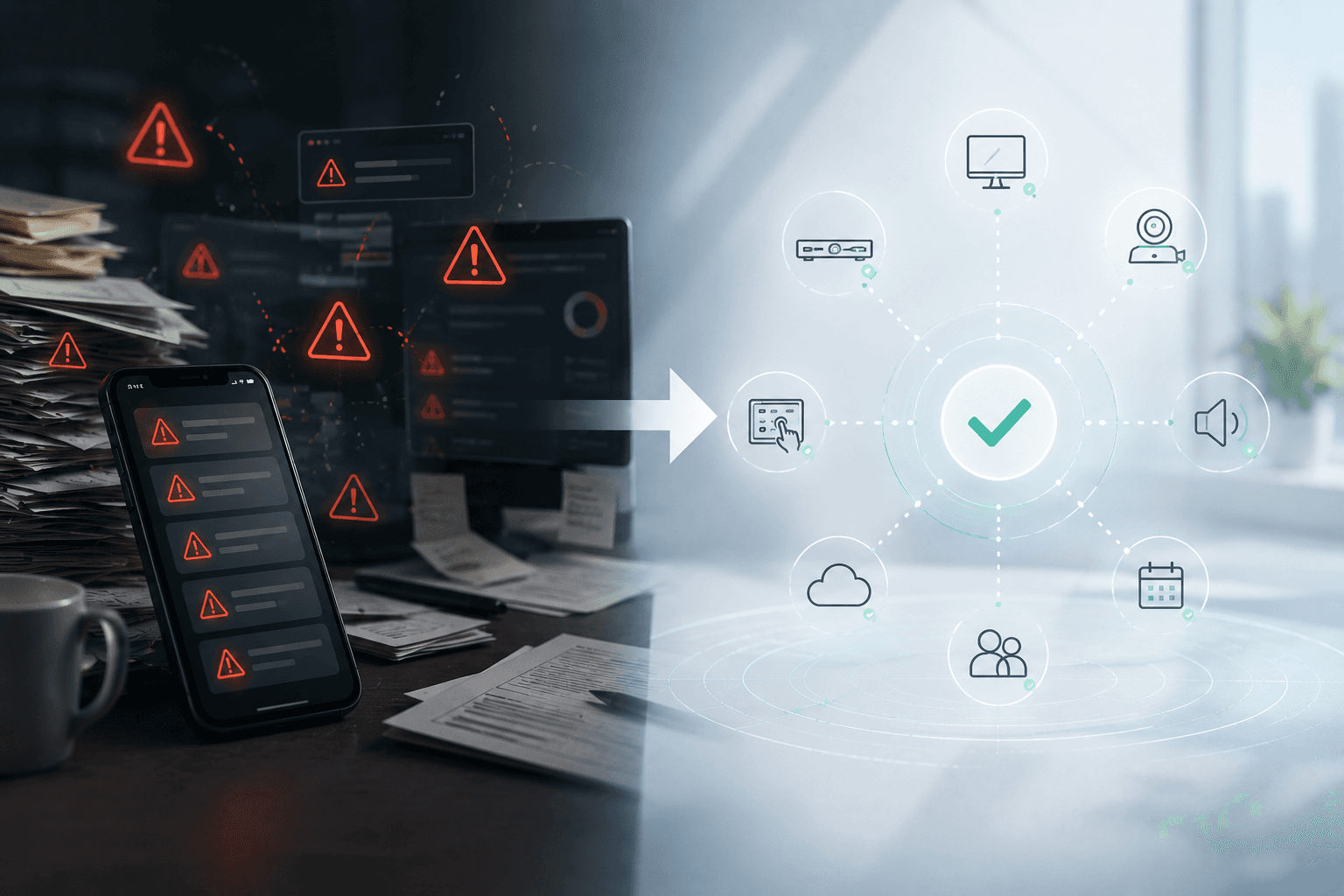
The alert fires at 8:47am. A device in conference room 14B has gone offline. The ticket is created automatically and lands in the queue. By 9:15am, a technician has logged in to investigate. By 9:30am, they have determined the root cause. By 10:00am, the room is back up. By then, three meetings have been affected.
This is the alert lifecycle that plays out in AV and IT operations every day. And while it feels like things are working, it represents a fundamental limitation of reactive monitoring: the alert was created because something had already failed. The work to resolve it started after users were already affected. And the process required multiple human steps between the alert and the resolution.
Alerts are not outcomes. They are starting points for work.
Monitoring Was Useful, But It Is No Longer Enough
Monitoring tools were a genuine improvement over flying blind. Knowing that a device had gone offline was better than not knowing. Getting an alert when a codec lost connectivity was better than waiting for a user to call the help desk. For years, building a comprehensive monitoring dashboard felt like the right goal.
But monitoring was always a means to an end, not the end itself. The goal was never to have a dashboard full of alerts. The goal was reliable rooms and productive meetings. Monitoring was just the best available tool for working toward that goal.
Today, the environments we manage have become too complex and too large for monitoring alone to be sufficient. The number of alerts generated in a large enterprise can make it genuinely difficult to identify which ones represent real user impact and which ones are noise. The gap between detecting a problem and resolving it has become a meaningful source of downtime. And the manual steps required to move from an alert to a resolution create delays that a modern organization cannot afford.
Dashboards Show Problems. Operations Require Action.
This is the core tension in reactive monitoring. A dashboard is a display of information. It shows you what is happening. But showing a problem and solving a problem are two very different things, and the gap between them is filled with manual work.
When an alert fires, someone has to see it. Then they have to interpret it. Then they have to correlate it with other signals to understand the context. Then they have to diagnose the root cause. Then they have to decide on the appropriate fix. Then they have to execute the fix. Then they have to verify the result. Each of those steps takes time, and each of them is an opportunity for delay or error.
For stretched AV and IT teams managing hundreds or thousands of rooms, this process is not sustainable at scale. Alert volume grows with the size of the environment. Resolution capacity does not grow at the same rate. The result is a backlog of open tickets, alert fatigue, and a team that is constantly reactive rather than proactive.
Alerts Create Work When They Lack Context
Part of what makes alert management so taxing is that most alerts arrive without the context needed to act on them quickly. An alert that says a device is offline tells you what happened, but not why, not what the user impact is, not what the right resolution is, and not whether it has happened before. That context has to be gathered manually, from multiple systems, before any resolution work can begin.
This is where alert fatigue really comes from. It is not just the volume of alerts. It is the effort required to turn each alert into actionable understanding. Teams start to develop workarounds: prioritizing certain alert types, ignoring others, building mental models of which alerts usually matter and which ones can wait. That is a reasonable adaptation, but it is also a sign that the tool is creating as much work as it is saving.
Room Check Shifts the Focus from Alerts to Readiness
Room Check inside Lena represents a different model. Instead of generating alerts when something fails, it evaluates rooms against their intended state and acts on gaps before users encounter them. The goal is not to alert faster. It is to reduce the number of failures that need to be alerted on in the first place.
When Room Check identifies a configuration issue, Lena can remediate it automatically, remotely, without generating a ticket or requiring a technician to respond. The room is returned to its correct state. No alert, no ticket, no delay. The user who walks in five minutes later has no idea anything was wrong.
For issues that do require human attention, Lena provides the context that makes resolution faster. The room configuration at the time of the issue, the history of similar problems, the likely root cause, and the recommended fix are all surfaced together, rather than scattered across multiple systems.
The Direction: Detect, Diagnose, Fix, Learn
The broader vision for Lena is an operational model that moves through four stages. Detect issues before users encounter them. Diagnose root cause automatically. Execute fixes, either autonomously or through guided workflows. And learn from outcomes over time to prevent the same issues from recurring.
Room Check is a key part of that model. But the direction it points toward is operations that do not just respond to alerts, but continuously maintain the health of every room in the portfolio, at scale, without requiring a proportional increase in technician headcount.
The shift: Moving from alert management to room readiness management means fewer fires to fight, not just faster firefighting.
Next in the series: Classrooms Can’t Wait: Room Checks for Higher Education
To learn more or to schedule a demo:
Visit: www.netspeek.ai
Contact: lena@netspeek.com
Demo: Book a live walkthrough

Subscribe for Updates
Stay current with the latest from NetSpeek. Learn more about new capabilities, product announcements, technical insights, and thought leadership in AI for AV.
